
For a CFO, the sales forecast is a headcount and cash question before it is a sales one. Every revenue line implies a hiring plan, a comp budget, and a burn trajectory, and FP&A software is where those implications get modeled together. The problem: most FP&A tools model the cost side of sales beautifully and the production side crudely, which is how companies end up with precise budgets built on revenue numbers nobody derived. The cost of that gap is visible in the attainment data: The Bridge Group’s 2024 SaaS AE Metrics Report (170+ B2B SaaS companies) found just 51% of AEs hit quota.
A disclosure before the ranking: Lative is our product, and it leads this list even though it is not an FP&A suite, because the criterion that decides a sales budget’s accuracy is the one most FP&A tools skip, whether the revenue line was derived from real capacity or asserted in a planning meeting. It is judged on the same four criteria as everyone else, including a plain statement of what it is not.
Quick picks by use case
- Best capacity input your FP&A stack is missing: Lative
- Best enterprise connected planning: Anaplan
- Best modern modeling platform: Pigment
- Best for Workday finance shops: Workday Adaptive Planning
- Best spreadsheet-native FP&A: Cube
- Best connected mid-weight planning: Drivetrain
- Best strategic-finance headcount view: Mosaic
- Best Excel-native FP&A with governance: Vena
- Best mid-market FP&A standard: Planful
- Best automation on existing spreadsheets: Datarails
- Best mid-market budgeting and reporting: Prophix
- Best free starting point: Spreadsheets
Comparison at a glance
| Tool | Best for | Pricing | Standout for the sales line |
|---|---|---|---|
| Lative | A capacity-derived revenue line | Custom quote, no per-user | Productive capacity per rep |
| Anaplan | Enterprise multi-domain planning | Custom quote | Near-unlimited modeling depth |
| Pigment | Modern scenario modeling | Custom quote | Clean build + scenarios |
| Workday Adaptive | Workday-stack finance | Custom quote | Governed finance + workforce |
| Cube | Spreadsheet-native FP&A | Published; confirm current rate | Excel/Sheets + central data |
| Drivetrain | Connected mid-weight planning | Custom quote | Driver-based revenue models |
| Mosaic | Strategic finance + headcount | Custom quote | Headcount-to-runway view |
| Vena | Excel-native FP&A | Custom quote | Governance inside Excel |
| Planful | Mid-market FP&A | Custom quote | Mature close + reporting |
| Datarails | Automation on spreadsheets | Published; confirm current rate | Consolidation without rebuild |
| Prophix | Mid-market budgeting | Custom quote | Budgeting + reporting workflow |
| Spreadsheets | Early-stage teams | Free | Total flexibility |
Pricing verified on vendor pricing pages in June 2026 where published; most FP&A vendors quote custom. Always confirm current pricing directly.
How we evaluated
Four criteria matter for the sales side of FP&A. Revenue modeling depth: can the tool build the revenue line from drivers, reps, ramp, attainment, rather than growth-rate arithmetic? Headcount-to-revenue linkage: does a hiring change flow through to the revenue forecast automatically? Scenario speed: can finance flex hiring timing and see cash and revenue impact together? And sales-data nativeness: does it read CRM actuals, or model sales as a cost center with a revenue assumption attached? The last one is where almost every FP&A suite quietly falls back to an assumption.
The 12 best FP&A tools for sales in 2026
1. Lative: best capacity input your FP&A stack is missing
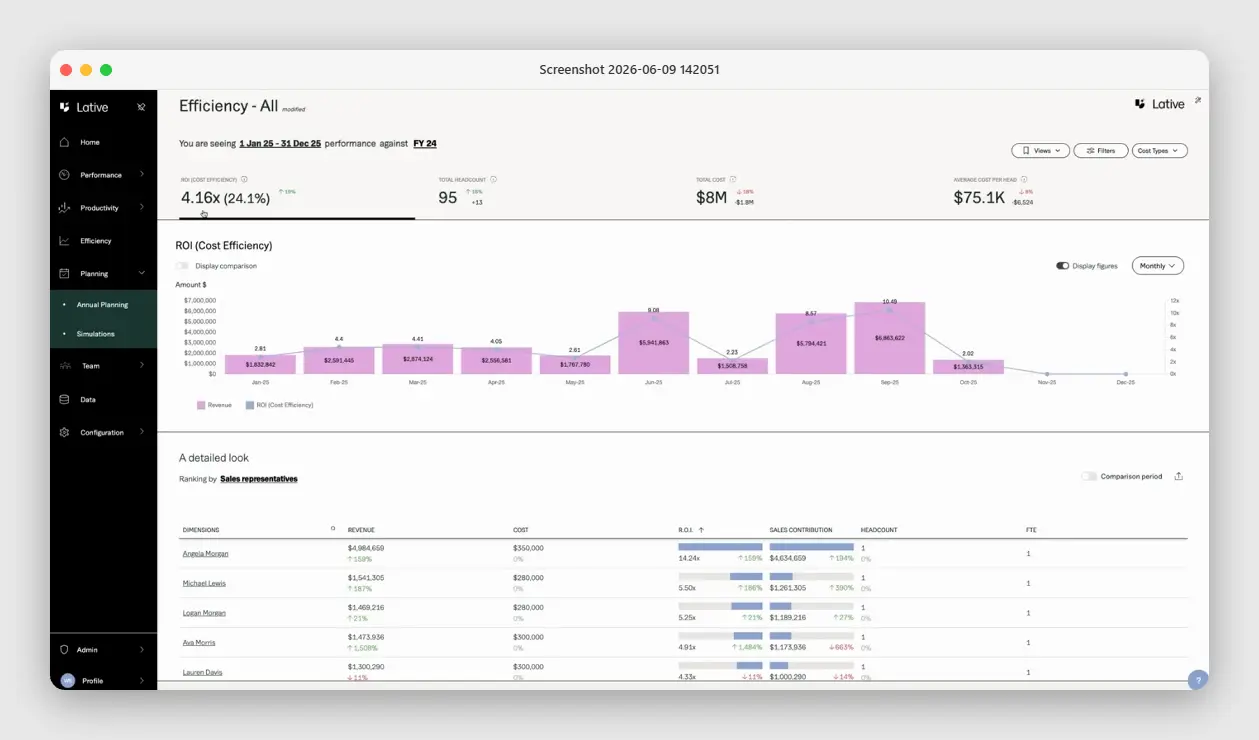
Full disclosure: Lative is our product, so weigh this with the skepticism every self-ranking deserves. It is not an FP&A suite and does not try to be; it is the sales-capacity input the FP&A stack is missing. The Productivity module computes real production per rep from closed-won data, tenure-adjusted and segmented; Average Ramping Time derives ramp curves from actual hire cohorts; the Capacity view turns roster, ramp, and attrition into productive capacity; and the Efficiency view gives finance the return per dollar of sales spend, team cost, and cost per rep, by segment.
The output is a defensible, capacity-based revenue line that feeds whatever FP&A platform finance runs, so the budget stands on derived numbers instead of negotiated ones. It complements every tool below rather than competing with any of them. What it is not: a place to model the whole P&L, consolidate entities, or run the close, keep your FP&A suite for that and let Lative make its revenue line real.
2. Anaplan: best enterprise connected planning
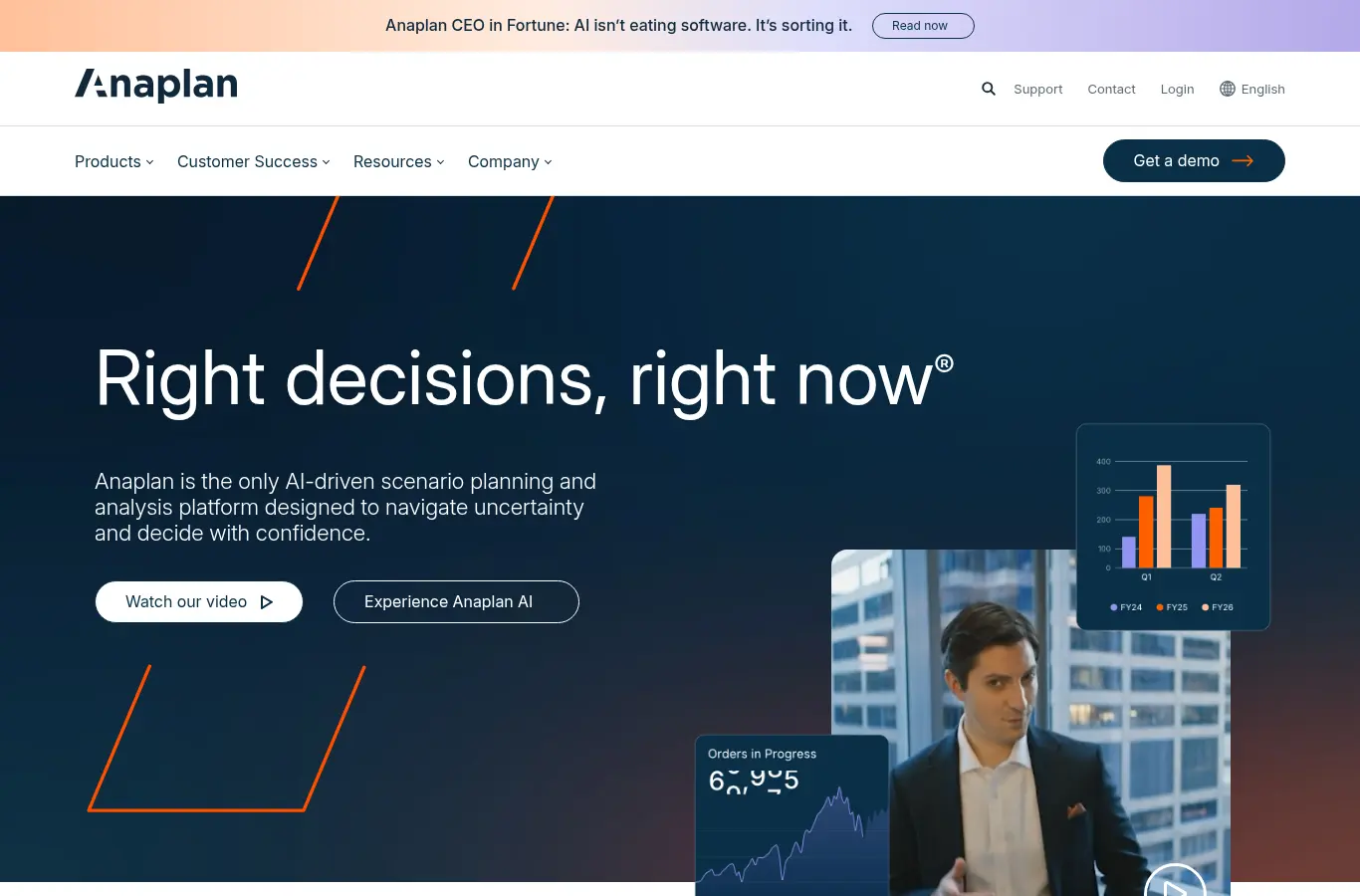
Enterprise connected planning across finance, sales, and operations: near-unlimited modeling, mature workforce planning, and genuine sales-planning capability when a dedicated team builds it.
It is the heavyweight. Implementations run months and the model needs an owner for life, so for the sales line alone it is more platform than the problem needs.
3. Pigment: best modern modeling platform

The modern Anaplan alternative: flexible, finance-grade models with a far better build experience, strong scenario work, and growing fast in scaling SaaS.
Sales-specific logic, ramp curves and per-rep attainment, is still custom model work; you get a great canvas and still paint the capacity model.
4. Workday Adaptive Planning: best for Workday finance shops
Finance-first planning, natural for Workday shops: budgeting, workforce, and revenue planning in one governed environment with strong audit and version control.
Sales-specific ramp and attainment are modeled generically, so the production side of the revenue line needs custom build on a finance-shaped model.
5. Cube: best spreadsheet-native FP&A

Spreadsheet-native FP&A that lets finance keep working in Excel and Sheets while centralizing data and versions underneath, the pragmatic choice for lean finance teams.
Same structural limit as the category: the sales logic is whatever you build in the sheet, and ramp curves and per-rep attainment are not native objects.
6. Drivetrain: best connected mid-weight planning
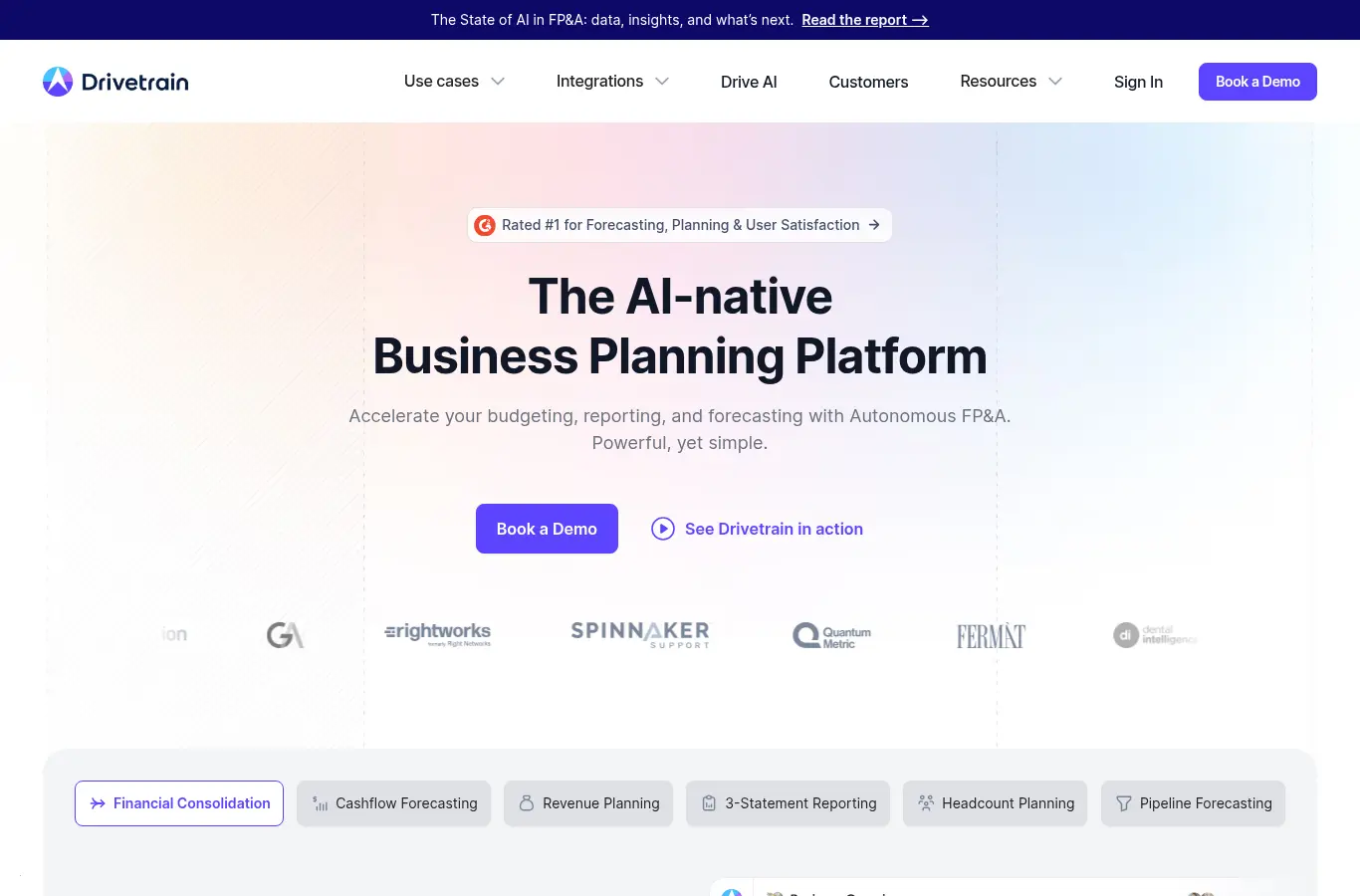
Connected financial planning with driver-based revenue models built in, a good middle weight: more structure than spreadsheet-native tools, less ceremony than the enterprise suites.
As with most FP&A tools, rep-level ramp and attainment detail is custom model work rather than a native object.
7. Mosaic: best strategic-finance headcount view
Strategic finance software with strong out-of-the-box headcount and revenue views, fast time to insight for connecting hiring plans to burn and runway.
Sales capacity appears at the headcount level rather than the per-rep, ramp-adjusted level a CRO needs for quota decisions.
8. Vena: best Excel-native FP&A with governance
Excel-based FP&A with workflow, controls, and templates for finance teams that live in spreadsheets and want governance without leaving them.
The sales-production logic is still spreadsheet logic; governance does not make a growth-rate revenue line a derived one.
9. Planful: best mid-market FP&A standard

An established FP&A platform for budgeting, forecasting, and consolidation, a mid-market standard with mature close and reporting workflows.
Strong on the finance lifecycle, generic on the sales production model, so the revenue line still needs a capacity input to be defensible.
10. Datarails: best automation on existing spreadsheets
FP&A automation on top of existing spreadsheets: consolidation and reporting without rebuilding the models finance already trusts.
It automates the spreadsheets you have, including their assumptions, so a growth-rate revenue line gets automated, not corrected.
11. Prophix: best mid-market budgeting and reporting

Mid-market FP&A and performance management covering budgeting, planning, and reporting with solid workflow automation.
Like its mid-market peers, it models cost and process well and sales production generically.
12. Spreadsheets: best free starting point
Still where most sales-finance modeling starts, and fine until the revenue line needs to flex against hiring timing, ramp, and attrition in real time.
That is exactly when the errors get expensive: a single stale ramp assumption quietly overstates the year, and nobody re-runs the sheet until the board meeting.
A worked example: the budget that balanced and the year that did not
A hypothetical Series C company budgets $40M for next year: last year’s $30M times a 33% growth assumption, validated against a hiring plan of twelve new AEs. The FP&A model ties out perfectly, cost per head, comp ratios, cash runway, every cell green.
The capacity math nobody ran: twelve hires phased across the year at a seven-month average ramp contribute roughly 35% of a full-year equivalent each, the existing team’s trailing attainment supports $31M, and realistic capacity lands near $35.5M. The $4.5M gap was knowable in October, fundable then, and instead surfaces as three consecutive quarterly misses and a mid-year reforecast that costs more credibility than the original conversation would have.
The budget balanced because budgets always balance; the year did not because the revenue line was an assumption wearing a derivation costume. The fix is structural: capacity math feeding the FP&A model, every cycle. See headcount planning and the CFO-CRO conversation for the operating pattern.
The monthly tie-out: keeping finance and sales on one number
Tooling aside, the operating habit that makes the stack work is a monthly tie-out between the capacity model and the financial plan, three questions in thirty minutes. Did the capacity inputs move: hires landed or slipped, ramp on or off curve, attrition versus assumption? What does the new capacity-derived revenue line do to the quarter and the year, and does the FP&A model reflect it yet?
And which variance is structural versus timing, because a slipped hire moves revenue between quarters while a ramp miss removes it entirely, and the cash response differs. Finance brings the budget lens, RevOps brings the capacity lens, and both leave with one number. Companies that run this tie-out reforecast calmly in week two of a wobble; companies that skip it reforecast dramatically in the board meeting.
Common buying mistakes
Assuming FP&A coverage equals sales planning coverage. Workforce modules count heads and cost. Ramp curves, per-rep attainment, and segment conversion are not native objects in most suites, and rebuilding them by hand is how the revenue line stays fictional.
Modeling revenue as a growth rate. Last year times X is not a forecast, it is a wish with a spreadsheet. Drivers first: reps, ramp, attainment, pipeline; see how to calculate sales capacity.
Buying scenario speed and feeding it stale inputs. A platform that re-runs scenarios in seconds still misleads if the ramp and attainment assumptions are two years old. The input refresh cadence matters more than the engine.
Keeping separate finance and sales models. Two models produce two numbers, and the planning meeting becomes a negotiation. One capacity model, two lenses (cash and revenue), is the configuration that ends the argument.
What to ask in every FP&A demo
Three questions expose the sales-modeling gap fast. Ask the vendor to model a rep hired March 1 on a six-month ramp with a $900K quota and 65% expected attainment, and show the monthly revenue contribution: if the answer involves a workaround, the object model is cost-first. Ask what happens to the revenue line when that hire slips eight weeks: the dependency should recalculate, not await an analyst. And ask where trailing attainment by segment lives: if the answer is “you can build that,” budget the build before comparing prices, because that build is the actual product you need.
Frequently asked
What is FP&A software for sales?
Financial planning and analysis tools used to model the sales organization’s cost, headcount, and revenue together: budgets, forecasts, scenarios, and the hiring plan’s cash and revenue implications.
Why do FP&A tools struggle with sales planning?
They model cost natively and production generically. Ramp curves, per-rep attainment, and segment conversion usually require custom modeling, so the revenue line ends up assumed rather than derived.
What is the difference between FP&A and sales capacity planning software?
FP&A models the whole business’s finances. Capacity planning models what the sales team can produce. The strongest setup feeds capacity-derived revenue into the FP&A plan every cycle.
Should finance or RevOps own the sales revenue model?
Jointly: RevOps owns the capacity inputs and refresh, finance owns the validation and the budget integration. One model, two signatures.
When does a spreadsheet stop being enough?
When hiring timing, ramp, and attrition need to flex against revenue in real time, typically the first year the company hires in cohorts.
The best FP&A stack connects the revenue line to real sales capacity, not a growth assumption. See the full sales capacity planning guide, or book a demo to see the capacity input your financial plan is missing.